
Compass (if so equipped)
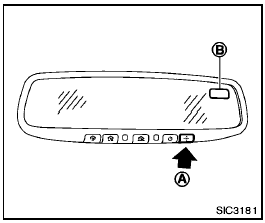
When the ignition switch is turned to the ON position, the compass display B will indicate the direction of the vehicle’s heading.
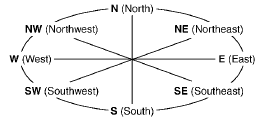
If the display reads “C”, calibrate the compass by driving the vehicle in 3 complete circles at less than 5 MPH (8 km/h). You can also calibrate the compass by driving your vehicle on your everyday route. The compass will be calibrated once it has tracked 3 complete circles.
To turn on and off the compass manually, push
the  switch
A while the ignition switch is in
the ON position.
switch
A while the ignition switch is in
the ON position.
See also:
If the moonroof does not close
Have your NISSAN dealer check and repair the
moonroof. ...
Child safety rear door lock
Child safety locks help prevent the rear doors
from being opened accidentally, especially when
small children are in the vehicle.
The child safety lock levers are located on the
edge of the r ...
Trailer brakes
If your trailer is equipped with a braking system,
make sure it conforms to federal and/or local
regulations and that it is properly installed.
WARNING
Never connect a trailer brake system directl ...