
Front power seat adjustment
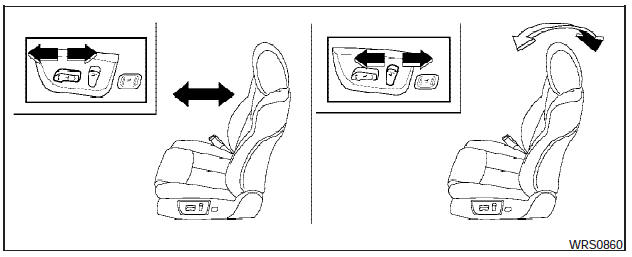
FRONT POWER SEAT ADJUSTMENT
Operating tips
- The power seat motor has an auto-reset overload protection circuit. If the motor stops during operation, wait 30 seconds, then reactivate the switch.
- Do not operate the power seat switch for a long period of time when the engine is off.
This will discharge the battery.
See Automatic drive positioner in Pre-driving checks and adjustments for automatic drive positioner operation.
Forward and backward
Moving the switch forward or backward will slide the seat forward or backward to the desired position.
Reclining
Move the recline switch backward until the desired angle is obtained. To bring the seatback forward again, move the switch forward and move your body forward. The seatback will move forward.
The reclining feature allows adjustment of the seatback for occupants of different sizes for added comfort and to help obtain proper seat belt fit (see Precautions on seat belt usage later in this section). Also, the seatback can be reclined to allow occupants to rest when the vehicle is stopped and the shift selector is in P (Park).
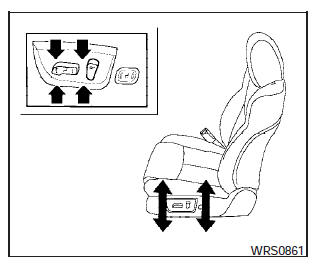
Seat lifter (drivers seat)
Push the front or rear end of the switch up or down to adjust the angle and height of the seat cushion.
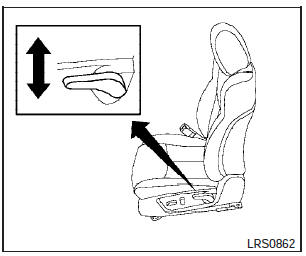
Manual (if so equipped)
Lumbar support (drivers seat)
The lumbar support feature provides lower back support to the driver. Move the lever up or down (manual) or move the switch forward or backward (power) to adjust the seat lumbar area.
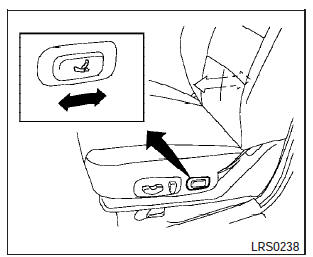
Power (if so equipped)
Thigh extension (drivers side only, if
so equipped)
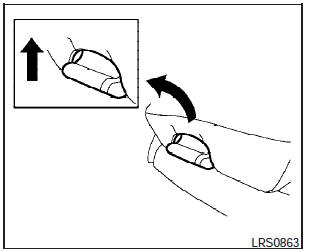
Pull up and hold the lever to extend the front portion to the desired position.
See also:
Passenger compartment
Passenger compartment
1. Rear window defroster switch.
2. Interior trunk lid release.
3. Trunk lid.
4. Vehicle loading.
5. Exterior trunk lid release/request button.
6. Replacing bulbs.
7. Fu ...
Continuously Variable Transmission (CVT) fluid
- Use only Genuine NISSAN CVT Fluid
NS-2. Do not mix with other fluids.
- Using transmission fluid other than
Genuine NISSAN CVT Fluid NS-2
will damage the CVT, which is not
covered by th ...
Valet hand-off
When you have to leave a key with a valet, give
them the Intelligent Key itself and keep the mechanical
key with you to protect your belongings.
To prevent the glove box and the trunk from being
o ...