
Call volume
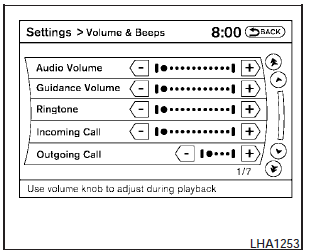
Adjusting the incoming or outgoing call volume may improve clarity if reception between callers is unclear.
- Incoming calladjusting this setting allows you to hear a difference in volume.
- Outgoing calladjusting this setting allows the person you are talking with to hear a difference in volume.
To access the settings, press the SETTING button, then select Volume & Beeps.
You can also adjust the volume of an incoming voice during a call by pushing the volume control switch on the steering wheel or by turning the volume control knob on the instrument panel.
See also:
Using the brakes
Avoid resting your foot on the brake pedal while
driving. This will overheat the brakes, wear out the
brake pads faster, and reduce gas mileage.
To help reduce brake wear and to prevent the
bra ...
Tire inflation pressure
Check the tire pressures (including the
spare) often and always prior to long distance
trips. The recommended tire pressure
specifications are shown on the
F.M.V.S.S./C.M.V.S.S. certification labe ...
Initialization
When the ignition switch is placed in the ON
position, NISSAN Voice Recognition is initialized,
which takes a few seconds. If the
button is pushed before the initialization completes,
the sys ...