
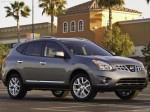
Nissan Rogue (2011)
Nissan Rogue / Gallery / Nissan Rogue (2011)
|

|

|

|

|

|
See also:
Electric power steering system
- If the engine is not running or is
turned off while driving, the power
assist for the steering will not work.
Steering will be harder to operate.
- When the electric power steering
warni ...
Reprogramming a single HomeLink® button
To reprogram a HomeLink® Universal Transceiver
button, complete the following.
1. Push and hold the desired HomeLink®
button. Do not release the button until step
4 has been completed.
2. Wh ...
Operations after activation
- When the rear view is displayed on the left
side on the screen (B or C ), the view on
the right side switches between the
bird’seye view B and the front-side view
C each time the CAMERA bu ...