
Automatic operation
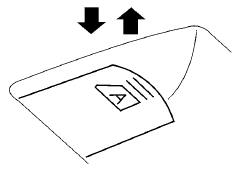
To fully open a window equipped with automatic operation, press the window switch down (only driver’s side shown) to the second detent and release it; it need not be held. The window automatically opens all the way. To stop the window, lift the switch up while the window is opening. To fully close a window equipped with automatic operation, pull the switch up to the second detent and release it; it need not be held. To stop the window, press the switch down while the window is closing.
See also:
Locking with key
Driver’s side
Manual (if so equipped)
To lock a door, turn the key toward the front of the
vehicle 1 . To unlock, turn the key toward the rear
2 .
Power (if so equipped)
The power door l ...
Starting the engine
1. Apply the parking brake.
2. Move the selector lever to the P (Park) or N
(Neutral) position. (P is recommended.)
The starter is designed so that it does not
operate unless the selector lever ...
The Inside
Certain elements of the Sentra's cabin drew criticism from staff members,
including the loud, cheap-sounding noise emanating from the gear selector when
moved from Park to Drive, the appearance of ...