
Useful tips for correct operation
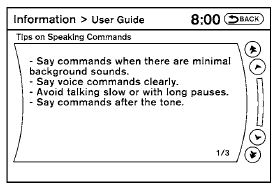
You can display useful speaking tips to help the system recognize your voice commands correctly.
1. Select “Help on Speaking”.
2. You can confirm the page by scrolling the screen.
See also:
When traveling or registering your vehicle in another country
When planning to drive your NISSAN vehicle
in another country, you should first find
out if the fuel available is suitable for your vehicle
s engine.
Using fuel with an octane rating that is to ...
Supplemental air bag warning labels
Warning labels about the supplemental frontimpact
air bag system are placed in the vehicle as
shown in the illustration. ...
Manual transmission (if so equipped)
WARNING
● Do not downshift abruptly on slippery
roads. This may cause a loss of control.
● Do not over-rev the engine when shifting
to a lower gear. This may cause a
loss of control o ...