
Instrument brightness control
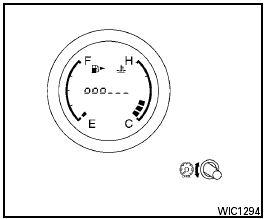
Instrument brightness control
The instrument brightness control operates when
the headlight control switch is in the
 or
or  position and the ignition switch is
placed in the ON position.
position and the ignition switch is
placed in the ON position.
The brightness level will be shown briefly in the meter’s display area whenever the control is operated.
Turn the control to adjust the brightness of instrument panel lights when driving at night. When the maximum or minimum intensity is met, a short chime will sound.
See also:
Rear window wiper and washer switch
In freezing temperatures the washer
solution may freeze on the rear window
glass and obscure your vision. Warm
the rear window with the defroster
before you wash the rear window.
- Do ...
Vehicle security system
The vehicle security system provides visual and
audible alarm signals if someone opens the doors
or trunk lid when the system is armed. It is not,
however, a motion detection type system that
...
Changing engine oil filter
1. Park the vehicle on a level surface and apply
the parking brake.
2. Turn the engine off.
3. Place a large drain pan under the oil filter (A) .
4. Loosen the oil filter (A) with an oil filter ...