
Map pockets
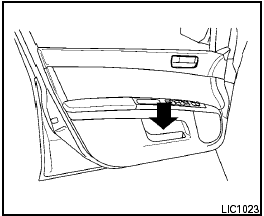
Map pockets
See also:
Special winter equipment
It is recommended that the following items be
carried in the vehicle during winter:
- A scraper and stiff-bristled brush to remove
ice and snow from the windows and wiper
blades.
- A sturdy, ...
Shoulder belt height adjustment
(Sedan, front seats)
The shoulder belt anchor height should be adjusted
to the position best for you. See “Precautions
on seat belt usage” earlier in this section. To
adjust, pull out the adjustment button 1 and
...
EXTERIOR
The Murano's unique styling isn't for everyone, but it helps it to stand out
on the road. From the side, it looks all curvy and aggressive, and the rear is
well-done with sharp, angled taillights. ...