
Storage trays
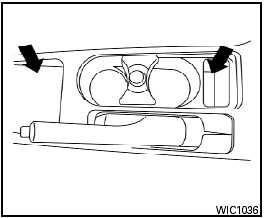
Storage trays

Do not place sharp objects in the trays to help prevent injury in an accident or sudden stop.
See also:
Operating tips
● When the shift selector is shifted to R (Reverse),
the monitor screen automatically
changes to the RearView Monitor mode.
However, the radio can be heard.
● It may take some time unt ...
Climate control seat switch (if so equipped)
The climate controlled seat warms up or cools
down the front seat by blowing warm or cool air
from the surface of the seat. The climate control
switch is located on the center console.
The cl ...
Installing the spare tire
The spare tire is designed for emergency
use. (See specific instructions under the
heading “Wheels and tires” in the “8.
Maintenance and do-it-yourself” section.)
1. Clean any mud or d ...