
Map lights (if so equipped)
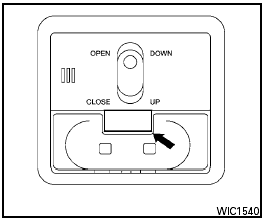
Map lights (if so equipped)
To turn the map lights on, press the button. To turn them off, press the button again.

Do not use for extended periods of time with the engine stopped. This could result in a discharged battery.
See also:
Avoiding collision and rollover
WARNING
Failure to operate this vehicle in a safe
and prudent manner may result in loss of
control or an accident.
Be alert and drive defensively at all times. Obey
all traffic regulations. Avoid ...
Giving voice commands
1. Press the switch
located on the steering
wheel.
2. A list of commands appears on the screen,
and the system announces, Would you like
to access Phone, Navigation, Information,
Audio ...
Larger children
Children who are too large for child restraints
should be seated and restrained by the seat belts
which are provided. The seat belt may not fit
properly if the child is less than 4 ft 9 in (142.5
...