
Using the panic alarm (if so equipped)
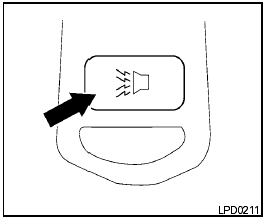
Using the panic alarm (if so equipped)
If you are near your vehicle and feel threatened,
you may activate the panic alarm to call attention
by pressing and holding the  button
on the
keyfob for longer than 0.5 seconds.
button
on the
keyfob for longer than 0.5 seconds.
The panic alarm and headlights will stay on for 25 seconds.
The panic alarm stops when:
● it has run for 25 seconds, or
● any button is pressed on the keyfob.
See also:
Read firstthen drive safety
Before driving your vehicle, please read this
Owners Manual carefully. This will ensure familiarity
with controls and maintenance requirements,
assisting you in the safe operation of your
vehi ...
Boxy Dynamics
I have no reason to believe the Cube is unstable, and it has a standard
electronic stability system, but it does feel more top-heavy than the other
boxes — and definitely more so than convention ...
Unlocking doors
1. Push the door handle request switch A or
the lift gate request switch B while
carrying the Intelligent Key with you.
2. The hazard indicator flashes once and outside
chime sounds once. The c ...