
Locking doors
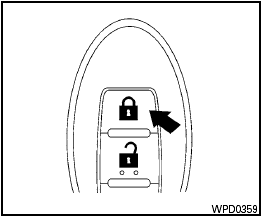
Locking doors
1. Place the ignition switch in the LOCK position.
2. Close all doors.
3. Press the  button on the
Intelligent
Key.
button on the
Intelligent
Key.
4. The hazard warning lights flash twice and the horn beeps once.
5. All doors will be locked.

After locking the doors using the Intelligent Key, be sure that the doors have been securely locked by operating the door handles.
See also:
Soft bottle holder
Soft bottle holder
CAUTION
● Do not use bottle holder for any other
objects that could be thrown about in
the vehicle and possibly injure people
during sudden braking or an accident.
...
Larger children
Children who are too large for child restraints
should be seated and restrained by the seat belts
which are provided. The seat belt may not fit
properly if the child is less than 4 ft 9 in (142.5
...
Front power seat adjustment
Operating tips:
- The seat motor has an auto-reset overload
protection circuit. If the motor stops during
operation, wait for a while, then reactivate
the switch.
- Do not operate the power se ...