
Unlocking doors
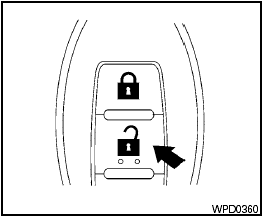
Unlocking doors
1. Press the  button on the
Intelligent
Key.
button on the
Intelligent
Key.
2. The hazard warning lights flash once.
3. Press the button again within 60
seconds
to unlock all doors.
All doors will be locked automatically unless one
of the following operations is performed within 1
minute after pressing the button.
● Opening any doors.
● Pushing the ignition switch.
● Inserting the mechanical key into the ignition switch.
The interior light illuminates for a maximum of 30 seconds when a door is unlocked and the room light switch is in the DOOR position.
The light can be turned off without waiting for 30 seconds by performing one of the following operations.
● Placing the ignition switch in the ON position.
● Locking the doors with the remote controller.
● Switching the room light switch to the OFF position.
See also:
Tire pressure
Tire Pressure Monitoring System
(TPMS) (if so equipped)
This vehicle is equipped with the Tire
Pressure Monitoring System (TPMS). It
monitors tire pressure of all tires except
the spare. When ...
FM/AM radio operation
FM/AM band select:
Pressing the AM·FM button will change the band
as follows:
AM > FM1 > FM2 > AM
When the AM·FM button is pressed while the
ignition switch is in the ACC or ON position, the ...
Changing engine oil filter
QR25DE
1. Park the vehicle on a level surface and apply
the parking brake.
2. Turn the engine off.
3. Place a large drain pan under the oil filter A .
4. Loosen the oil filter A with an oil fil ...