
Audio main operation
VOL/ON·OFF control:
Place the ignition switch in the ACC or ON position and push the VOL/ON·OFF control knob while the system is off to call up the mode (radio or CD) that was playing immediately before the system was turned off.
To turn the system off, press the VOL/ON·OFF control knob.
Turn the VOL/ON·OFF control knob to adjust the volume.
This vehicle may be equipped with Speed Sensitive Volume (SSV) for audio. When this feature is active, the audio volume changes as the driving speed changes.
Setting control knob (Audio, Display and Clock):
Press the ENTER button to adjust the audio, display and clock settings as follows.
Bass → Treble → Fade → Balance → Speed Sensitive Volume (SSV) (if so equipped) → Brightness → Contrast → On-screen Clock → Clock Adjust → Bass Once the desired setting is displayed on the screen, turn the TUNE/SCROLL knob left or right to adjust the chosen setting. Press the ENTER button to move to the next setting or wait approximately five seconds to exit the setting adjustment mode.
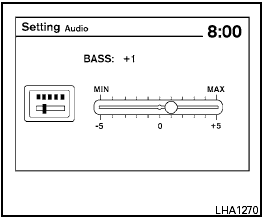
Audio settings:
Adjust the bass, treble, fade and balance by selecting the desired setting with the ENTER button and then adjusting the level with the TUNE/SCROLL knob. Balance adjusts the sound between the left and right speakers. Fade adjusts the sound between the front and rear speakers.
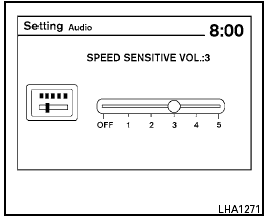
Speed Sensitive Volume (if so equipped):
To change the Speed Sensitive Volume (SSV) level from 1 to 5, or to turn the feature off entirely, choose the Speed Sensitive Volume (SSV) setting with the ENTER button and then adjust the level with the TUNE/SCROLL knob. Speed Sensitive Volume (SSV) adjusts the volume of the audio system as the vehicle’s driving speed changes.
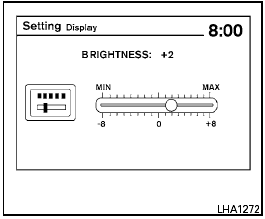
Display settings:
To adjust the brightness or contrast of the display screen, press the ENTER button until the chosen setting is displayed. Use the TUNE/SCROLL knob to adjust the display to the desired level.
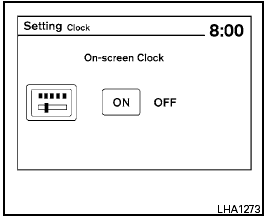
On-screen Clock:
The clock is shown in the upper right corner of the screen. To turn this feature off or to re-enable the clock display after it has been turned off, press the ENTER button until the On-screen Clock mode is displayed. Use the TUNE/SCROLL knob to toggle the feature on or off.
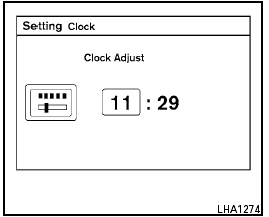
Clock adjust:
To adjust the time, perform the following steps.
1. Press the ENTER button repeatedly until the Clock Adjust mode is displayed on the screen.
2. The hours will begin blinking. Adjust the hours by turning the TUNE/SCROLL knob left or right and press the ENTER button.
3. The minutes will begin blinking. Adjust the minutes by turning the TUNE/SCROLL knob left or right and press the ENTER button.
iPod MENU button
This button can only be used for iPod operations.
See “iPod player operation without Navigation System (Type B)” in this section for details about the function of this button.
See also:
Battery
If the battery is not fully charged during extremely
cold weather conditions, the battery fluid may
freeze and damage the battery. To maintain maximum
efficiency, the battery should be checked
...
Touch screen operation
Selecting the item:
Touch an item to select. To select the “Navigation”
key, touch the “Navigation” key 1 on the
screen. Touch the “BACK”key 2 to return to the
previous screen.
Ad ...
Changing engine coolant
A NISSAN dealer can change the engine coolant.
The service procedure can be found in the
NISSAN Service Manual.
Improper servicing can result in reduced
heater performance and engine overheating ...