
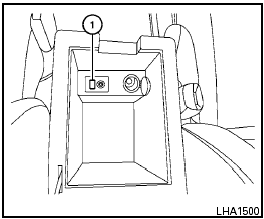
iPod * player operation with Navigation System (if so equipped)
Nissan Sentra / Nissan Sentra Owners Manual / Display screen, heater, air conditioner, audio and phone systems / Audio system / iPod * player operation with Navigation System (if so equipped)
See also:
Continuously Variable Transmission (CVT) (if so
equipped)
Without Intelligent Key
The ignition lock is designed so that the ignition
switch cannot be turned to the LOCK position
until the shift selector is moved to the P (Park)
position.
● Wh ...
Capacities and recommended fuel/lubricants
1: For additional information, see “Engine oil” in the “8. Maintenance and
do-it-yourself” section for changing engine oil.
2: For additional information, see “Engine oil and oil filter ...
Vents
Right and Left
Adjust air flow direction by moving the vent
slides.
Open or close the vents by using the dial. Move
the dial toward the to open the
vents or
toward the to close them.
Cen ...