
Roof rack (if so equipped)
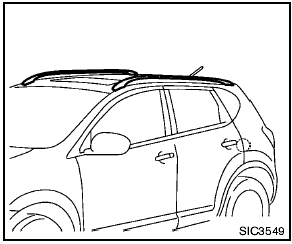
Roof rack (if so equipped)
Secure the crossbars to the roof rail before loading. The crossbars are available from a NISSAN dealer.
Always distribute the luggage evenly on the roof rack. Do not load more than 99 lb (45 kg). Be careful that your vehicle does not exceed the Gross Vehicle Weight Rating (GVWR) or its Gross Axle Weight Rating (GAWR front and rear). The GVWR and GAWR are located on the F.M.V.S.S. or C.V.M.S.S. certification label (located on the driver’s door pillar). For more information regarding GVWR and GAWR, see “Vehicle loading information” in the “9. Technical and consumer information” section.

- Drive extra carefully when the vehicle is loaded at or near the cargo carrying capacity, especially if the significant portion of that load is carried on the roof rack.
- Heavy loading of the roof rack has the potential to affect the vehicle stability and handling during sudden or unusual handling maneuvers.
- Roof rack load should be evenly distributed.
- Do not exceed maximum roof rack load weight capacity.
- Properly secure all cargo with ropes or straps to help prevent it from sliding or shifting. In a sudden stop or collision, unsecured cargo could cause personal injury.

Use care when placing or removing items from the roof rack. If you cannot comfortably lift the items onto the roof rack from the ground, use a ladder or stool.
See also:
Training phrases
During the SA mode, the system instructs you to
say the following phrases.
(The system will prompt you for each phrase.)
- phonebook transfer entry
- dial 3 0 4 2 9
- delete call back number ...
Resetting the moonroof switch
The moonroof switch may not operate properly
and need to be reset if any of the following
conditions have occurred:
● the moonroof has been manually moved,
● the moonroof motor has bee ...
Safety chains
Always use suitable safety chains between your
vehicle and the trailer. The safety chains should
be crossed and should be attached to the hitch,
not to the vehicle bumper or axle. Be sure to lea ...