
Cargo light
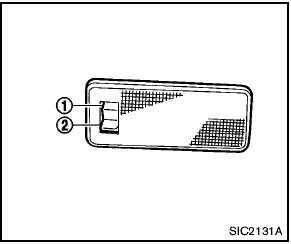
Cargo light
When the switch is in the ON position 1 , the light illuminates while the lift gate is opened.
When the lift gate is closed, the light will turn off.
When the switch is in the OFF position 2 , the light will turn off.
The light will turn off after 30 minutes when the lights remain illuminated to prevent the battery from becoming discharged.
See also:
Starting the engine
1. Apply the parking brake.
2. CVT model:
Move the shift selector to P (Park) or N
(Neutral). P (Park) is recommended.
The shift selector cannot be moved out
of P (Park) and into any of the oth ...
Treadwear
The treadwear grade is a comparative rating
based on the wear rate of the tire when tested
under controlled conditions on a specified
government test course. For example, a tire
graded 150 wou ...
Components
1. Head restraint
2. Adjustment notches
3. Lock knob
4. Stalks
5. Release knob ...