
Vehicle information display
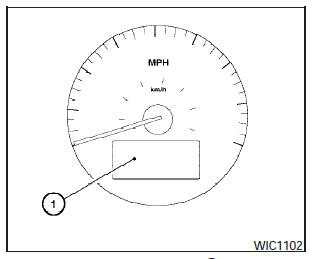
The vehicle information display
The vehicle information display (1) is located on the bottom of the speedometer. It displays such items as:
- cruise control system information.
- Intelligent Key operation information.
- some indicators and warnings.
- other information.
For details about the Intelligent Key, see NISSAN Intelligent Key in the Pre-driving checks and adjustments section.
See also:
Precautions when starting and driving
WARNING:
- Do not leave children or adults who
would normally require the assistance
of others alone in your vehicle. Pets
should also not be left alone. They
could accidentally injure themse ...
Flat towing
Towing your vehicle with all four wheels on the
ground is sometimes called flat towing. This
method is sometimes used when towing a vehicle
behind a recreational vehicle, such as a motor
home. ...
Fan control dial
The fan control dial turns the fan on and off, and
controls fan speed. ...