
NISSAN vehicle immobilizer system
The NISSAN Vehicle Immobilizer System will not allow the engine to start without the use of a registered key.
If the engine fails to start using a registered key (for example, when interference is caused by another registered key, an automated toll road device or automatic payment device on the key ring), restart the engine using the following procedures:
1. Leave the ignition switch placed in the ON position for approximately 5 seconds.
2. Place the ignition switch in the OFF or LOCK position and wait approximately 10 seconds.
3. Repeat steps 1 and 2.
4. Restart the engine while holding the device (which may have caused the interference) separate from the registered key.
If the no start condition re-occurs, NISSAN recommends placing the registered key on a separate key ring to avoid interference from other devices.
Statement related to Section 15 of FCC Rules for NISSAN Vehicle Immobilizer System (CONT ASSY IMMOBILIZER, ANT ASSY IMMOBILIZER)
This device complies with part 15 of the FCC Rules and RSS-210 of Industry Canada. Operation is subject to the following two conditions;
(1) This device may not cause harmful interference, and (2) this device must accept any interference received, including interference that may cause undesired operation of the device.
CHANGES OR MODIFICATIONS NOT EXPRESSLY APPROVED BY THE PARTY RESPONSIBLE FOR COMPLIANCE COULD VOID THE USERS AUTHORITY TO OPERATE THE EQUIPMENT.
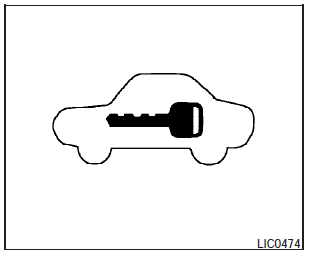
Security indicator light
The security indicator light blinks whenever the ignition switch is placed in the OFF, LOCK or ACC position. This function indicates the NISSAN Vehicle Immobilizer System is operational.
If the NISSAN Vehicle Immobilizer System is malfunctioning, the light will remain on while the ignition switch is placed in the ON position.
If the light still remains on and/or the engine will not start, see a NISSAN dealer for NISSAN Vehicle Immobilizer System service as soon as possible. Please bring all registered keys that you have when visiting your NISSAN dealer for service.
See also:
If your vehicle overheats
If your vehicle is overheating (indicated by an
extremely high temperature gauge reading) or if
you feel a lack of engine power, detect abnormal
noise, etc., take the following steps.
WARNING:
...
History
In 1993, Nissan discontinued its much-criticized Stanza compact car,
replacing it with the US-made Altima, originally as a compact car. The very
first Altima rolled off the assembly line on June 1 ...
Braking precautions
The brake system has two separate hydraulic
circuits. If one circuit malfunctions, you will still
have braking at two wheels.
You may feel a small click and hear a sound
when the brake pedal is ...