
Speaker Adaptation function
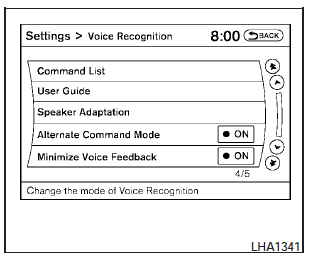
The Voice Recognition system has a function to learn the users voice for better voice recognition performance. The system can memorize the voices of up to three persons.
Having the system learn the users voice
1. Press the SETTING button on the instrument panel, select the Others key on the display.
2. Select the Voice Recognition key.
3. Select the Speaker Adaptation key.
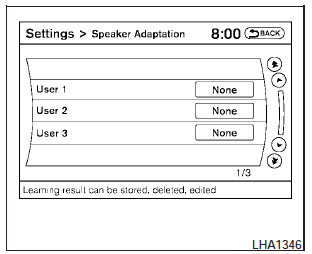
4. Select the user whose voice is to be memorized by the system.
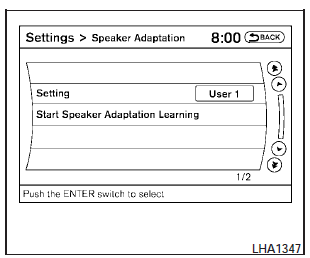
5. Select a category to be learned by the system from the following list:
- Phone.
- Navigation.
- Information.
- Audio.
- Help.
The voice commands in the category are displayed.
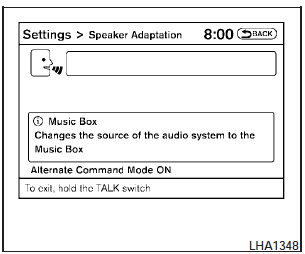
6. Select a voice command to train.
The Voice Recognition system starts.
7. The system requests that you repeat a command after a tone. This command is also displayed on the screen.
8. After the tone sounds and the icon on the
screen changes from  , speak
the command that the system requested.
, speak
the command that the system requested.
9. When the system has recognized the voice command, the voice of the user is learned.
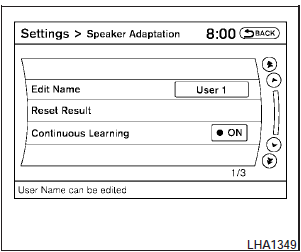
Speaker Adaptation function settings
Edit Name:
Edit the user name using the keypad displayed on the screen.
Reset Result:
Resets the users voice that the Voice Recognition system has learned.
Continuous Learning:
When this item is turned to ON, you can have the system learn the voice commands in succession, without selecting commands one by one.
See also:
Making a call by entering a phone
number
1. Press the button on the
steering
wheel. A tone will sound.
2. Say: “Call” A . The system acknowledges
the command and announces the next set of
available commands.
Say: “Special Dia ...
Engine cooling system
The engine cooling system is filled at the factory
with Genuine NISSAN Engine Coolant to provide
year-round anti-freeze and coolant protection.
The anti-freeze solution contains rust and corrosio ...
Exterior
A new dark gray body color is available; it's called Night Armor. The
Frontier is only available in King Cab (extended cab) and crew cab body styles
with either a 4x2 or 4x4 drivetrain.
Tough PR ...