
Nissan Murano (2005)
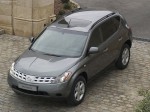
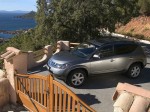
Nissan Murano / Gallery / Nissan Murano (2005)
|

|

|

|

|
|
See also:
Tire Pressure Monitoring System
(TPMS)
This vehicle is equipped with the Tire
Pressure Monitoring System (TPMS). It
monitors tire pressure of all tires except
the spare. When the low tire pressure
warning light is lit and the CHECK TIR ...
Tire pressure
Tire Pressure Monitoring System
(TPMS) (if so equipped)
This vehicle is equipped with the Tire
Pressure Monitoring System (TPMS). It
monitors tire pressure of all tires except
the spare. When ...
NISSAN Intelligent Key
Replace the battery in the Intelligent Key as follows:
1. Remove the mechanical key from the Intelligent
Key.
2. Insert a small screwdriver (A) into the slit (B)-
of the corner and twist it to s ...