
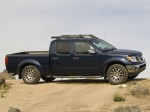
Nissan Frontier (2009)
Nissan Frontier / Gallery / Nissan Frontier (2009)

|

|
|

|

|

|
See also:
Headlights
Replacing the xenon headlight bulb (if
so equipped)
HIGH VOLTAGE:
When xenon headlights are on, they produce
a high voltage. To prevent an electric
shock, never attempt to modify or disassembl ...
Indicator lights
For additional information on warnings and indicators,
see “Vehicle information display” later in
this section. ...
Battery saver system
- When the headlight switch is in the
or
position while the ignition switch is in
the ON position, the lights will automatically
turn off 5 minutes after the ignition switch
has been turned ...