
Vehicle Dynamic Control (VDC) off switch
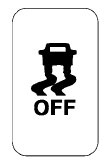
The vehicle should be driven with the Vehicle Dynamic Control (VDC) system on for most driving conditions.
If the vehicle is stuck in mud or snow, the VDC system reduces the engine output to reduce wheel spin. The engine speed will be reduced even if the accelerator is depressed to the floor. If maximum engine power is needed to free a stuck vehicle, turn the VDC system off.
To turn off the VDC system, push the VDC OFF
switch. The  indicator will come on.
Push the VDC OFF switch again or restart the engine to turn on the system. See “Vehicle Dynamic Control (VDC) system” in the “Starting and driving” section.
See also:
Cancel switch
When the switch, located inside the glove box, is
in the OFF position, the power to the trunk lid will
be cancelled. The trunk can only be opened with
the master key or keyfob.
The trunk lid can ...
New V6 diesel engine
The new direct injection V6 turbodiesel has been developed by the Renault
Nissan Alliance to deliver high levels of performance with strong economy,
competitive emissions and class-leading refinem ...
Speaker Adaptation function
The Voice Recognition system has a function to
learn the user’s voice for better voice recognition
performance. The system can memorize the
voices of up to three persons. ...