
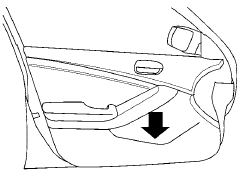
Map pockets
See also:
Moving near a projecting object
The predicted course lines A do not touch the
object in the display. However, the vehicle may
hit the object if it projects over the actual moving
course.
There may be a small distance visi ...
Tire labeling
Example
Federal law requires tire manufacturers to
place standardized information on the sidewall
of all tires. This information identifies
and describes the fundamental characteristics
of ...
Difference between predicted and actual distances
The distance guide line and the vehicle width
guide line on the front and the rear view should
be used as a reference only when the vehicle is
on a level, paved surface. The distance viewed
on ...