
Useful tips for correct operation
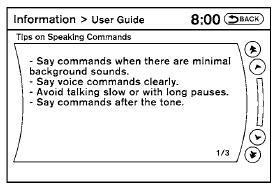
You can display useful speaking tips to help the system recognize your voice commands correctly.
1. Select “Help on Speaking”.
2. You can confirm the page by scrolling the screen.
See also:
Zone variation change procedure
The difference between magnetic north and geographical
north is known as variance. In some
areas, this difference can sometimes be great
enough to cause false compass readings. Follow
these instru ...
Fuel-filler cap
WARNING
● Gasoline is extremely flammable and
highly explosive under certain conditions.
You could be burned or seriously
injured if it is misused or mishandled.
Always stop the engine and ...
Trip computer
To operate the trip computer, use the A
switch.
When the ignition switch is in the ON position,
modes of the trip computer can be selected by
pushing the switch A briefly.
Each time the ...