
Speedometer and odometer
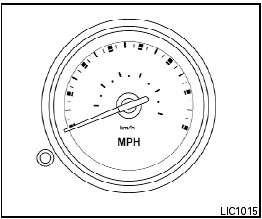
Speedometer
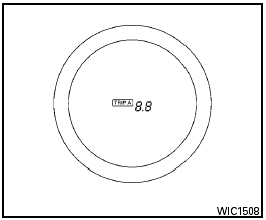
Odometer/Twin trip odometer
The odometer/twin trip odometer is displayed when the ignition switch is placed in the ON position.
The odometer records the total distance the vehicle has been driven.
The twin trip odometer records the distance of individual trips.
To switch between the odometer and the twin trip odometers press the instrument brightness control/change button.
Changing the display:
Push the instrument brightness control/change button to change the display as follows:
With twin trip odometer:
Odometer → Trip A → Trip B → Odometer
With trip computer:
Odometer → Trip A → Trip B → DTE → Instant Fuel Economy → Average Fuel Consumption → Average Speed → Journey time → Odometer
Resetting the trip odometer:
Push the instrument brightness control/change button for more than 1 second to reset the currently displayed trip odometer to zero.
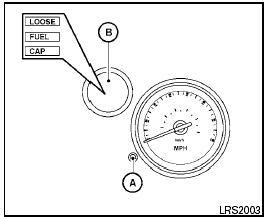
Loose fuel cap warning message
Push the reset button A for more than 1 second to reset the LOOSE FUEL CAP warning message B after the fuel cap has been tightened.
For additional information see “Fuel-filler cap” in the “Pre-driving checks and adjustments” section of this manual.

Check tire pressure warning message (if so equipped)
The CHECK TIRE PRESSURE warning message is displayed when the low tire pressure warning light is illuminated and low tire pressure is detected.
Check and adjust the tire pressure to the recommended COLD tire pressure shown on the Tire and Loading Information label. The CHECK TIRE PRESSURE warning message turns off when the low tire pressure warning light turns off.
The low tire pressure warning light remains illuminated until the tires are inflated to the recommended COLD tire pressure. The CHECK TIRE PRESSURE warning message is displayed each time the ignition switch is placed in the ON position as long as the low tire pressure warning light remains illuminated. For more information see “Low tire pressure warning light” in the “Instruments and controls” section, “Tire Pressure Monitoring System (TPMS)” in the “Starting and driving” and “Wheels and tires” section in the “Maintenance and do-it-yourself” section of this Owner’s Manual.
See also:
Towing your vehicle
When towing your vehicle, all State (Provincial in
Canada) and local regulations for towing must
be followed. Incorrect towing equipment could
damage your vehicle. Towing instructions are
avai ...
Touch screen maintenance
If you clean the display screen, use a dry, soft
cloth. If additional cleaning is necessary, use a
small amount of neutral detergent with a soft
cloth. Never spray the screen with water or deter ...
Environmental factors influence the rate of corrosion
Moisture
Accumulation of sand, dirt and water on the vehicle
body underside can accelerate corrosion.
Wet floor coverings will not dry completely inside
the vehicle and should be removed for dry ...