
Seatback pockets (if so equipped)
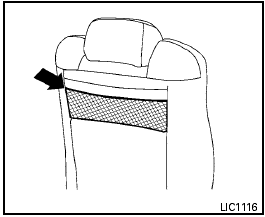
Type A
The seatback pockets are located on the back of the driver’s and passenger’s seats. The pockets can be used to store maps.
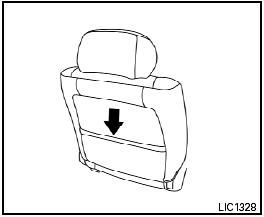
Type B
See also:
Air conditioner operation (if so equipped)
Start the engine, turn the fan control dial to the
desired position, and push in the button to
activate the air conditioner. When the air conditioner
is on, cooling and dehumidifying functions ...
Emission control system warranty
Your NISSAN vehicle is covered by the following
emission warranties:
For USA
1. Emission Defects Warranty
2. Emissions Performance Warranty
Details of this warranty may be found with other
vehic ...
Training phrases
During the SA mode, the system instructs you to
say the following phrases.
(The system will prompt you for each phrase.)
- phonebook transfer entry
- dial 3 0 4 2 9
- delete call back number ...