
Map lights (if so equipped)
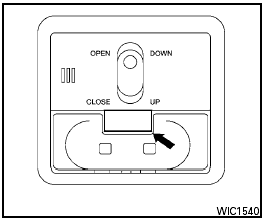
Map lights (if so equipped)
To turn the map lights on, press the button. To turn them off, press the button again.

Do not use for extended periods of time with the engine stopped. This could result in a discharged battery.
See also:
Loading tips
● The GVW must not exceed GVWR
or GAWR as specified on the
F.M.V.S.S./C.M.V.S.S. certification
label.
● Do not load the front and rear axle to
the GAWR. Doing so will exceed the
GVWR ...
Power windows
WARNING:
- Make sure that all passengers have
their hands, etc. inside the vehicle while
it is in motion and before closing the
windows. Use the window lock switch
to prevent unexpected use o ...
Repair and replacement procedure
The front air bags, side air bags, curtain air bags
and pretensioners are designed to inflate on a
one-time-only basis. As a reminder, unless it is
damaged, the supplemental air bag warning light
...