
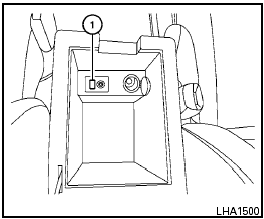
iPod * player operation with Navigation System (if so equipped)
Nissan Sentra / Nissan Sentra Owners Manual / Display screen, heater, air conditioner, audio and phone systems / Audio system / iPod * player operation with Navigation System (if so equipped)
See also:
Safety
The 2007 Nissan Altima received a Good rating — the highest possible — in the
Insurance Institute for Highway Safety's frontal-offset crash test. As of
publication, IIHS hasn't subjected the A ...
Compact disc with MP3 or WMA (if so equipped)
Terms:
● MP3 — MP3 is short for Moving Pictures
Experts Group Audio Layer 3. MP3 is the
most well-known compressed digital audio
file format. This format allows for near “CD
quality ...
Parking brake reminder chime
The parking brake reminder chime will sound if
the vehicle is driven at more than 4 MPH (7
km/h) with the parking brake applied. Stop the
vehicle and release the parking brake. ...