
Ceiling light
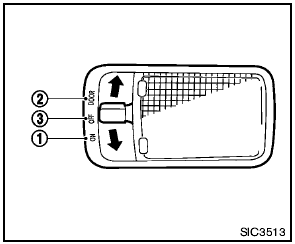
Ceiling light
The ceiling light switch has three positions: ON, DOOR and OFF.
See also:
FM/AM/SAT radio with compact disc (CD) player (Type A) (if so equipped)
Type A
1. SCAN button
2. Station select (1 - 6) buttons
3. CD insert slot
4. iPod MENU button
5. CD
eject button
6. TUNE/SCROLL knob/Setting control button
7. SEEK/CAT buttons
8. A ...
Using the image viewer
When a compatible portable storage device is
plugged into the USB jack located in the center
console, compatible image files stored on the
device can be viewed on the control panel device.
Conn ...
POWER on/off switch
If you have the Type A switch, with the ignition
switch placed in the ACC or ON position, push
the POWER switch to turn the audio system on
or off.
If you have the Type B switch, with the ignit ...