
Heated seats (if so equipped)
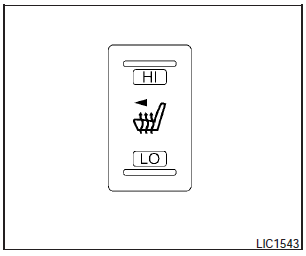
The front seats are warmed by built-in heaters.
The switch is located on the center console.
1. Start the engine.
2. Push the LO or HI position of the switch, as desired. The indicator light in the switch will illuminate.
The heater is controlled by a thermostat, automatically turning the heater on and off.
The indicator light will remain on as long as the switch is on.
3. When the seat is warmed or before you leave the vehicle, be sure to turn the switch off.
CAUTION:
- Do not use the seat heater for extended periods or when no one is using the seat.
- Do not put anything on the seat which insulates heat, such as a blanket, cushion, seat cover, etc. Otherwise, the seat may become overheated.
- Do not place anything hard or heavy on the seat or pierce it with a pin or similar object. This may result in damage to the heater.
- Any liquid spilled on the heated seat should be removed immediately with a dry cloth.
- When cleaning the seat, never use gasoline, benzine, thinner, or any similar materials.
- If any abnormalities are found or the heated seat does not operate, turn the switch off and have the system checked by your NISSAN dealer.
- The battery could run down if the seat heater is operated while the engine is not running.
See also:
Anti-lock Braking System (ABS)
- The Anti-lock Braking System (ABS)
is a sophisticated device, but it
cannot prevent accidents resulting
from careless or dangerous driving
techniques. It can help maintain
vehicle cont ...
Backing up behind a projecting object
Backing up behind a projecting object
The position C is shown further than the
position B in the display. However, the
position C is actually at the same distance
as the position A . The vehi ...
Outside temperature display (if so equipped)
The outside temperature function provides a display
of the outside temperature when the ignition
switch is placed in the ON position.
The display of positive temperatures is unsigned
(blank), n ...