
Cargo net (if so equipped)
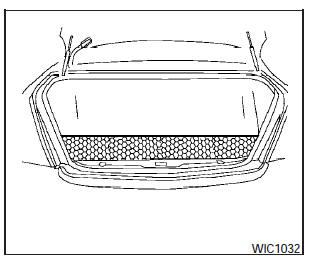
WARNING:
- Properly secure all cargo with ropes or straps to help prevent it from sliding or shifting. In a sudden stop or collision, unsecured cargo could cause personal injury.
- Be sure to secure all four hooks into the retainers. The cargo restrained in the net must not exceed 30 lbs. (13.6 kg) or the net may not stay secured.
The cargo net helps keep packages in the cargo area from moving around while the vehicle is in motion.
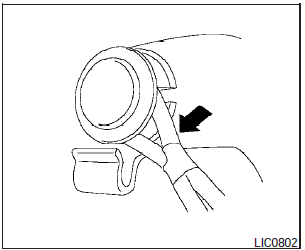
To install a cargo net, attach the net to the retainers.
To remove a cargo net, detach the net from the retainers.
See also:
Continuously Variable Transmission (CVT)
The Continuously Variable Transmission (CVT)
in your vehicle is electronically controlled to
produce maximum power and smooth operation.
The recommended operating procedures for this
transmissi ...
QR25DE engine
1. Engine oil filler cap
2. Brake fluid reservoir
3. Air cleaner
4. Engine coolant reservoir
5. Window washer fluid reservoir
6. Engine drive belt location
7. Engine oil dipstick
8. Radi ...
Automatic moonroof
Automatic moonroof
The moonroof will only operate when the ignition
switch is placed in the ON position. The automatic
moonroof is operational for about 45 seconds,
even if the ignition switc ...