
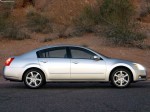
Nissan Maxima (2004)
Nissan Maxima / Gallery / Nissan Maxima (2004)
|

|

|

|

|

|
See also:
Engine coolant temperature gauge
The gauge A indicates the engine coolant
temperature.
The engine coolant temperature is within the
normal range when the gauge is within the zone
B shown in the illustration.
The engine cool ...
Continuously Variable Transmission (CVT) (if so
equipped)
Without Intelligent Key
The ignition lock is designed so that the ignition
switch cannot be turned to the LOCK position
until the shift selector is moved to the P (Park)
position.
● Wh ...
Push-Button Ignition Switch
WARNING
Do not operate the push-button ignition
switch while driving the vehicle except in
an emergency. (The engine will stop when
the ignition switch is pushed 3 consecutive
times in quick succ ...