
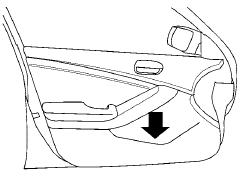
Map pockets
See also:
Hitch ball
Choose a hitch ball of the proper size and
weight rating for your trailer:
- The required hitch ball size is stamped on
most trailer couplers. Most hitch balls also
have the size printed on to ...
Brakes
If the brakes do not operate properly, have the
brakes checked by a NISSAN dealer.
Self-adjusting brakes
Your vehicle is equipped with self-adjusting
brakes.
The front and rear disc-type brakes ...
Vehicle identification number (chassis number)
The vehicle identification number is located as
shown. ...