
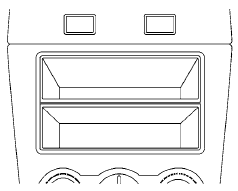
Storage box (if so equipped)
Nissan Altima / Nissan Altima Owners Manual / Instruments and controls / Storage / Storage box (if so equipped)
See also:
Vehicle recovery (freeing a stuck vehicle)
- Stand clear of a stuck vehicle.
- Do not spin your tires at high speed.
This could cause them to explode
and result in serious injury. Parts of
your vehicle could also overheat
and be da ...
Trailer lights
When splicing into the vehicle electrical
system, a commercially available powertype
module/converter must be used to
provide power for all trailer lighting. This
unit uses the vehicle bat ...
ON position
When the switch is in the ON position 1 , the
map lights will illuminate. ...