
Giving voice commands
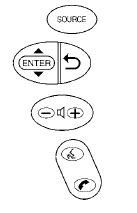
1. Press and release the  switch
located
on the steering wheel.
switch
located
on the steering wheel.
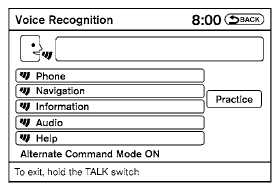
2. A list of commands appears on the screen, and the system announces, “Please say a command from the displayed list or say Help to show all commands.”
3. After the tone sounds and the icon on the
screen changes from  to
to
 , speak
a command.
, speak
a command.
4. Once a command is recognized, the system will announce the recognized command and perform the requested action.
If the command is not recognized, the system repeats the announcement. Repeat the command in a clear voice after the tone.
See also:
BluetoothT Hands-Free Phone System with Navigation System (if so equipped)
WARNING:
- Use a phone after stopping your vehicle
in a safe location. If you have to use a
phone while driving, exercise extreme
caution at all times so full attention may
be given to vehicl ...
Break-in schedule
CAUTION
During the first 1,200 miles (2,000 km),
follow these recommendations to obtain
maximum engine performance and ensure
the future reliability and economy of
your new vehicle. Failure to fo ...
Map pockets
Map pockets ...