
Vehicle Dynamic Control (VDC) off switch (if so equipped)
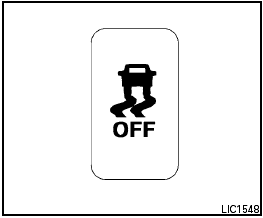
Vehicle Dynamic Control (VDC) off switch (if so equipped)
The vehicle should be driven with the Vehicle Dynamic Control (VDC) system on for most driving conditions.
If the vehicle is stuck in mud or snow, the VDC system reduces the engine output to reduce wheel spin. The engine speed will be reduced even if the accelerator is depressed to the floor. If maximum engine power is needed to free a stuck vehicle, turn the VDC system off.
To turn off the VDC system, push the VDC OFF
switch. The  indicator will come on.
Push the VDC OFF switch again or restart the engine to turn on the system. See “Vehicle Dynamic Control (VDC) system” in the “Starting and driving” section.
See also:
Vehicle Phonebook
This vehicle has two phonebooks available for
your use. Depending on your phone, the system
may automatically download your entire cell
phones phonebook into the Handset Phonebook
. For the ...
Warning lights
For additional information on warnings and indicators,
see Vehicle information display later in
this section.
Anti-lock Braking
System (ABS)
warning light
When the ignition switch is pla ...
Hood
(1) Pull the hood lock release handle located
below the driver side instrument panel. The
hood will spring up slightly.
(2)- Push the lever at the front of the hood to the
side as illu ...