
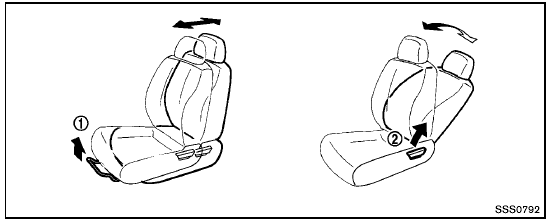
Front seats
See also:
Maximum Gross Vehicle Weight (GVW)/Maximum Gross Axle Weight (GAW)
The GVW of the towing vehicle must not exceed
the Gross Vehicle Weight Rating (GVWR)
shown on the F.M.V.S.S./C.M.V.S.S. certification
label. The GVW equals the combined weight of
the unloade ...
Sunglasses holder
Sunglasses holder
Keep the sunglasses holder closed
while driving to prevent an accident.
To open the sunglasses holder, push 1 .
- Do not use for anything other than
glasses.
- Do n ...
Front power seat adjustment
Operating tips:
- The seat motor has an auto-reset overload
protection circuit. If the motor stops during
operation, wait for a while, then reactivate
the switch.
- Do not operate the power se ...