



Nissan Versa: Monitor, climate, audio, phone and voice recognition systems - Intelligent Forward Collision Warning (I-FCW)
WARNING
Failure to follow these crucial safety warnings and instructions regarding the proper use of the Intelligent Forward Collision Warning system on your Nissan Versa could result in serious personal injury or a fatal accident.
- While the I-FCW system can help warn the driver before a forward collision occurs, it will never prevent or avoid a collision entirely by itself. It remains the sole responsibility of the driver to stay alert, drive safely, and maintain complete control of the vehicle at all times.
The advanced I-FCW system is designed to help alert the driver whenever there is a sudden and unexpected braking maneuver performed by a second vehicle traveling directly in front of the lead vehicle ahead in the same lane.
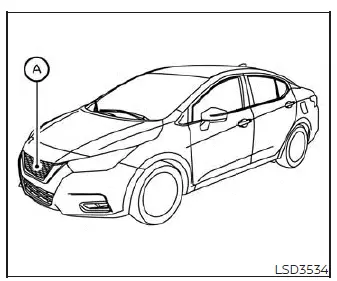
The I-FCW system utilizes a front-mounted radar sensor A positioned on the front of the vehicle to accurately measure and monitor the distance to the vehicle ahead in your traveling lane.
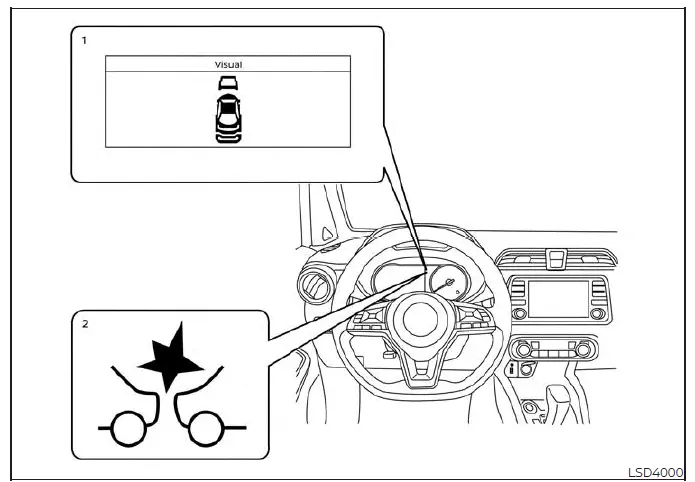
Vehicle Information Display
- Vehicle ahead detection indicator (if so equipped)
- AEB with Pedestrian Detection system warning light
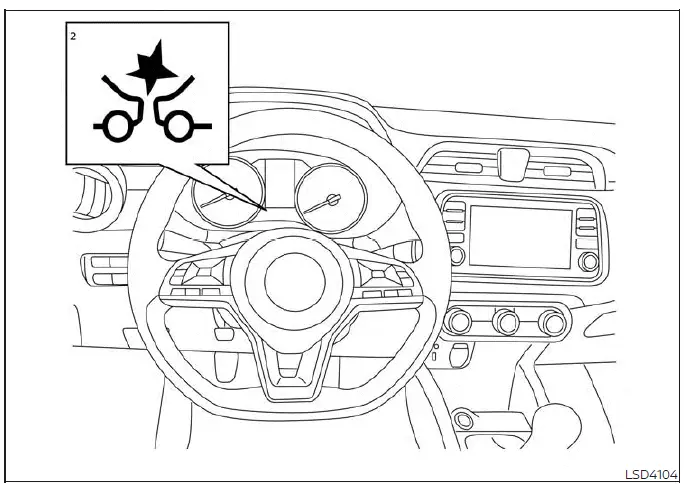
Trip Computer
I-FCW system operation Nissan Versa 3rd Gen
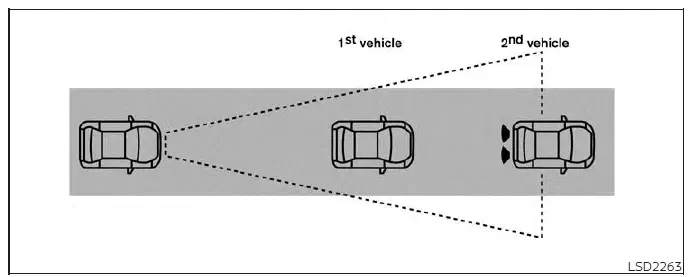
The Intelligent Forward Collision Warning system operates dynamically at vehicle speeds above approximately 3 mph (5 km/h).
If a potential risk of a forward collision is detected ahead, the I-FCW system will promptly warn the driver by flashing the vehicle ahead detection indicator directly within the vehicle information display (if so equipped) and simultaneously sounding a clear audible alert tone.
Turning the I-FCW system on/off
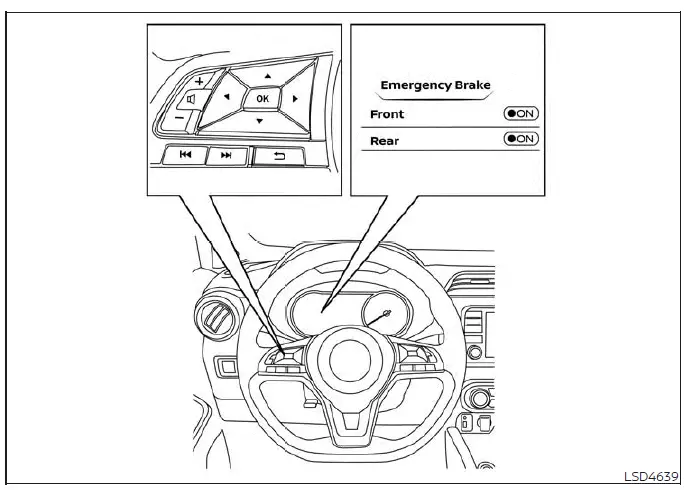
Perform the following simple sequential steps whenever you need to turn the I-FCW system ON or OFF on your Nissan Versa.
For vehicles equipped with the vehicle information display:
1. Press the
 control button repeatedly until "Settings" is clearly displayed in the vehicle information display.
Use the
 button to highlight and select "Driver Assistance." Then press the OK confirmation button.
2. Select the "Emergency Brake" menu option and press the OK button.
3. Select "Front" and press the OK button to turn the safety system on or off.
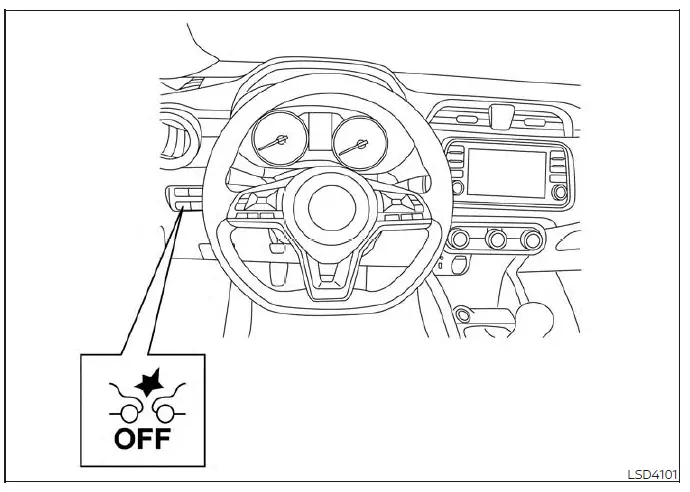
For vehicles equipped with the AEB with Pedestrian Detection OFF switch:
1. The I-FCW system is enabled automatically every time the vehicle engine starts.
2. Push the physical AEB with Pedestrian Detection OFF switch once to disable the I-FCW system.
When the I-FCW system is turned off, the dedicated AEB with Pedestrian Detection system warning light will illuminate on the dashboard.
NOTE:
- The I-FCW system will be automatically re-enabled and turned back on whenever the vehicle engine is restarted.
- The I-FCW system is integrated directly into the core AEB with Pedestrian Detection system architecture.
There is no separate individual selection in the vehicle information display for the I-FCW system alone. When the main AEB with Pedestrian Detection system is turned off, the I-FCW system is also turned off simultaneously.
I-FCW system limitations Nissan Versa N18
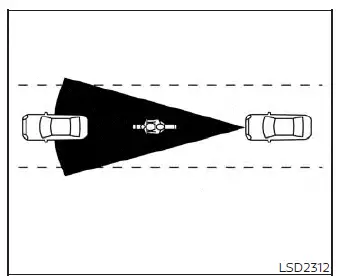
Illustration A
WARNING
Listed below are the comprehensive operational system limitations for the I-FCW system on your Nissan Versa. Failure to operate your vehicle in strict accordance with these crucial system limitations could result in serious personal injury or a fatal accident.
- Please be aware that the I-FCW system cannot detect all vehicles or traffic conditions under every conceivable scenario.
- The front radar sensor does not detect or respond to the following objects:
- Pedestrians, animals, or miscellaneous obstacles scattered across the roadway
- Oncoming vehicles traveling in the opposite direction
- Crossing vehicles moving perpendicularly across your path
- (Illustration A) The I-FCW system may fail to function when the vehicle ahead features an exceptionally narrow profile, such as a motorcycle or bicycle.
- The front radar sensor may fail to detect a vehicle ahead under the following adverse conditions:
- During heavy snowstorms or blinding heavy rain
- If thick dirt, packed ice, wet snow, or other foreign materials are covering the face of the radar sensor.
- When experiencing electronic or frequency interference caused by other external radar sources.
- When heavy snow or road spray is kicked up by preceding traveling vehicles.
- When driving inside a long tunnel.
- (Illustration B) When the vehicle directly ahead is being towed by another vehicle.
- (Illustration C) When the following distance to the vehicle ahead is extremely close, causing the radar beam to be physically obstructed.
- (Illustration D) When driving down a steep downhill slope or navigating roads with sharp, winding curves.
- The system is engineered to automatically check the functional integrity of its radar sensor within certain operational boundaries. However, the system may fail to detect certain forms of physical obstructions covering the sensor area, such as ice, wet snow, or adhesive stickers. In these instances, the system may be unable to warn the driver properly. Always ensure that you visually check, clean, and clear the sensor area on your Nissan Versa regularly.
- Excessive interior cabin noise—such as playing your audio system at high volumes or driving with windows rolled down—will strongly interfere with the warning chime sound, meaning the safety chime may not be heard in time.
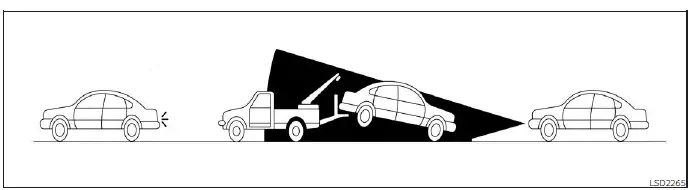
Illustration B
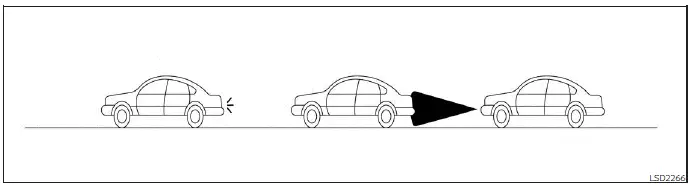
Illustration C
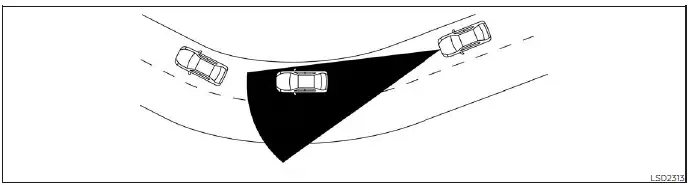
Illustration D
System temporarily unavailable Nissan Versa 2020
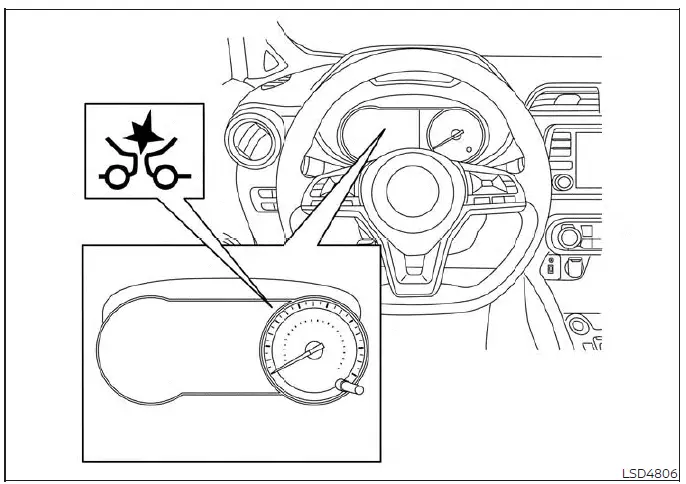
Vehicle Information Display
Condition A
When the front radar sensor detects signal interference from another nearby radar source, preventing the system from reliably tracking a vehicle traveling ahead, the Intelligent Forward Collision Warning (I-FCW) system is automatically turned off for safety.
Under these circumstances, the orange AEB with Pedestrian Detection system warning light will illuminate on the dashboard display.
Action to take
Once the radar signal interference subsides and normal environmental conditions resume, the I-FCW system on your Nissan Versa will automatically reactivate and return to standard operation.
Condition B
When the dedicated radar sensor area on the front bumper is obscured or covered with dirt, mud, snow, or road grime, making it impossible to detect a vehicle traveling ahead, the I-FCW system is automatically turned off.
The orange AEB with Pedestrian Detection system warning light will illuminate directly within the vehicle information display (if so equipped).
Additionally, when driving your Nissan Versa on open roads with sparse surrounding structures or buildings (such as navigating long bridges, vast desert stretches, open snow fields, or driving alongside long continuous wall barriers), the system may temporarily illuminate the orange system warning light and display the "Unavailable: Front Radar Obstruction" message in the vehicle information display (if so equipped).
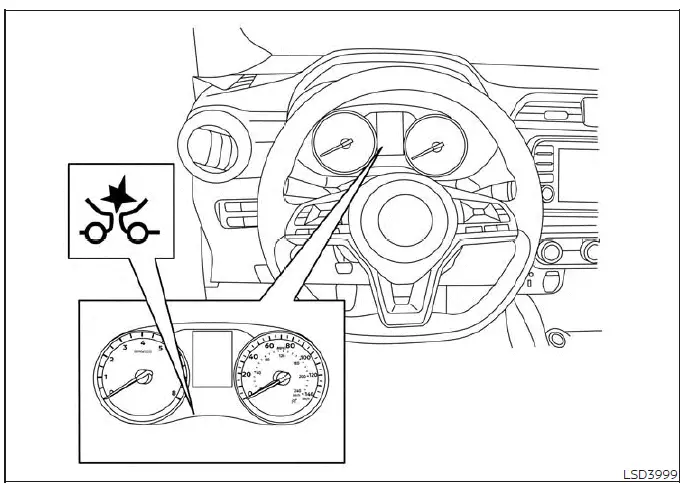
Trip Computer
Action to take
If the orange warning light comes on, safely pull over and bring your Nissan Versa to a complete stop in a secure location. Shift the transmission selector lever into the P (Park) position and turn off the engine. Gently clean the radar sensor cover located on the lower front grille using a soft, clean cloth, and then restart the engine. If the warning light remains illuminated after restarting, have the I-FCW system inspected. It is recommended that you visit an authorized NISSAN dealer for this professional service.
It is recommended that you visit a NISSAN dealer for this service.
NOTE:
If the primary Automatic Emergency Braking (AEB) with Pedestrian Detection system stops working, the integrated I-FCW system will also cease operation simultaneously.
System malfunction
If an internal technical malfunction occurs within the I-FCW system on your Nissan Versa, the system will automatically shut off, an audible warning chime will sound, the orange AEB with Pedestrian Detection system warning light will illuminate, and the official [Malfunction] notification will appear in the vehicle information display (if so equipped).
Action to take
If the orange warning light illuminates, safely bring your vehicle to a stop in a secure location, turn the engine off completely, and restart the vehicle. If the warning light continues to illuminate after the restart, have the I-FCW system evaluated. It is recommended that you visit an authorized NISSAN dealer for this service.
System maintenance
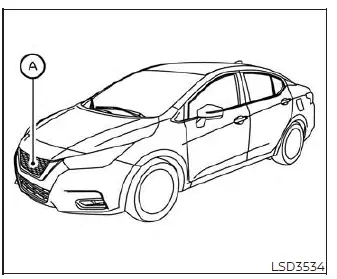
The primary radar sensor A is situated directly behind the lower grille assembly of the front bumper on your Nissan Versa.
To ensure the system continues operating properly and accurately, always observe the following essential maintenance guidelines:
- Always keep the front bumper and lower grille radar sensor area thoroughly clean and free of buildup.
- Do not strike, impact, or physically damage the bumper areas surrounding the radar sensor unit.
- Do not cover the sensor housing, attach adhesive vinyl stickers, or apply similar decorative objects to the front bumper near the sensor area, as this can block radar signals and cause system failure or malfunction.
- Do not attach metallic equipment or heavy accessories near the radar sensor area (such as a brush guard, bull bar, or aftermarket metal trim), which could severely interfere with radar performance and cause system failure or malfunction.
- Do not modify, remove, alter, or repaint the front bumper assembly. Before undertaking any customization, body repairs, or restoration work on the front bumper of your Nissan Versa, it is recommended that you visit an authorized NISSAN dealer.
Radio frequency statement
For USA
Radiofrequency radiation exposure Information:
This equipment complies with FCC radiation exposure limits set forth for an uncontrolled environment. This equipment should be installed and operated with minimum distance of 30cm between the radiator and your body. The transmitter must not be co-located or operating in conjunction with any other antenna or transmitter.
FCC Notice:
Changes or modifications not expressly approved by the party responsible for compliance could void the user's authority to operate the equipment.
For Canada
This device complies with Industry Canada licence-exempt RSS standard(s).
Operation is subject to the following two conditions:
1. This device may not cause interference, and
2. This device must accept any interference received, including interference that may cause undesired operation of the device.
Le présent appareil est conforme aux CNR d'Industrie Canada applicables aux appareils radio exempts de licence.
L'exploitation est autorisée aux deux conditions suivantes: 1. L'appareil ne doit pas produire de brouillage, et 2. L'utilisateur de l'appareil doit accepter tout brouillage radioélectrique subi, même si le brouillage est susceptible d'en compromettre le fonctionnement.
Radio frequency radiation exposure information:
This equipment complies with FCC and IC radiation exposure limits set forth for an uncontrolled environment.
This equipment should be installed and operated with minimum distance of 30 cm between the radiator and your body.
This transmitter must not be co-located or operating in conjunction with any other antenna or transmitter.
Cet équipement est conforme aux limites d'exposition aux rayonnements IC établies pour un environnement non contrôlé.
Cet équipement doit être installé et utilisé avec un minimum de 30 cm de distance entre la source de rayonnement et votre corps.
FCC Notice
Changes or modifications not expressly approved by the party responsible for compliance could void the user's authority to operate the equipment.