
g (gravity)-force gauge (if so equipped)
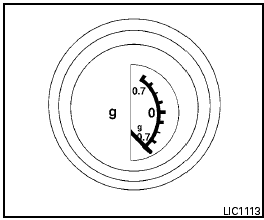
g (gravity)-FORCE GAUGE (if so equipped)
This gauge shows the straight-line acceleration and deceleration g-forces while you are driving.
NOTE:
The g-force gauge does not indicate cornering
g-forces.
See also:
Overview
The five-seat Sentra sits between the subcompact Versa and the midsize Altima
in Nissan's sedan lineup. Regular Sentras come in base 2.0, 2.0 S, 2.0 SR and
2.0 SL trim levels. The Sentra is an alt ...
MODE select switch (models with Navigation System)
Push the MODE select switch to change the
mode in the following sequence.
AM/FM* → XM** → CD*** → USB/AUX*** → AM/FM*
* When using the MODE switch, the audio mode
switche ...
Compact disc (CD) player operation
If the radio is already operating, it automatically
turns off and the compact disc begins to play.
CD button:
When the CD button is pressed with the system
off and the compact disc loaded, the s ...