
iPod * player operation with Navigation System (if so equipped)
Nissan Sentra / Nissan Sentra Owners Manual / Display screen, heater, air conditioner, audio and phone systems / Audio system / iPod * player operation with Navigation System (if so equipped)
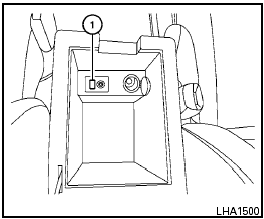
See also:
Changing engine oil
MR20DE engine
A Oil filler cap
B Oil drain plug
C Oil filter
QR25DE engine
A Oil filler cap
B Oil drain plug
C Oil filter
1. Park the vehicle on a level surface and apply
the parking ...
2010 Nissan Altima review
A variety of vehicles have enjoyed their day in the sun: Wagons until they
gave way to minivans, which gave way to SUVs, which bowed to crossovers.
But then there's the old reliable, the midsize s ...
Removing spots
Remove tar and oil spots, industrial dust,
insects, and tree sap as quickly as possible
from the paint surface to avoid lasting damage
or staining. Special cleaning products are
available at a ...