
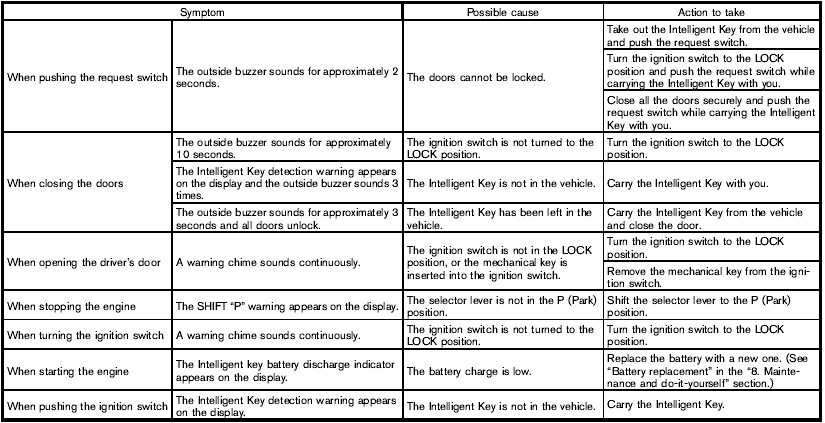
Troubleshooting guide
Nissan Rogue / Nissan Rogue Owners Manual / Pre-driving checks and adjustments / Intelligent Key system (if so equipped) / Troubleshooting guide
See also:
Zone variation change procedure
The difference between magnetic north and geographical
north is known as variance. In some
areas, this difference can sometimes be great
enough to cause false compass readings. Follow
these instru ...
Warning/indicator lights
Warning/indicator lights ...
In-cabin microfilter
The in-cabin microfilter restricts the entry of airborne
dust and pollen particles and reduces
some objectionable outside odors. The filter is
located behind the glove box. Refer to the
“NISSAN ...