
Vehicle Dynamic Control (VDC) OFF switch
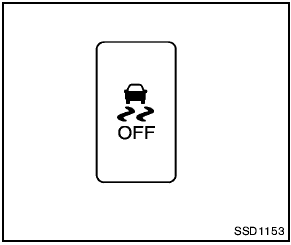
Vehicle Dynamic Control (VDC) OFF switch
The vehicle should be driven with the Vehicle Dynamic Control (VDC) system on for most driving conditions.
If the vehicle is stuck in mud or snow, the VDC system reduces the engine output to reduce wheel spin. The engine speed will be reduced even if the accelerator is depressed to the floor.
If maximum engine power is needed to free a stuck vehicle, turn the VDC system off.
To turn off the VDC system, push the VDC OFF
switch. The  indicator will illuminate.
Push the VDC OFF switch again or restart the engine to turn on the system. (See “Vehicle Dynamic Control (VDC) system” in the “5.
Starting and driving” section.)
See also:
Vehicle recovery (freeing a stuck vehicle)
- Stand clear of a stuck vehicle.
- Do not spin your tires at high speed.
This could cause them to explode
and result in serious injury. Parts of
your vehicle could also overheat
and be da ...
2008 Nissan Altima review
Most car buyers don't have the luxury of purchasing a different car for all
the types of driving they do. While a sports car for a favorite road, a luxury
sedan for a night out and a wagon for fam ...
Tire labeling
Example
Federal law requires tire manufacturers to
place standardized information on the
sidewall of all tires. This information identifies
and describes the fundamental
characteristics of ...