
NISSAN Intelligent Key™ Operation
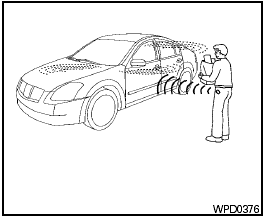
NISSAN Intelligent Key™ Operation
You can lock or unlock the doors without taking the Intelligent Key out of your pocket or bag.
When you carry the Intelligent Key with you, you can lock or unlock all doors by pushing the door handle request switch within the range of operation.
See also:
2011 Nissan Juke review By Warren Brown
It's a bug-eyed, bubble-butt car, perhaps the ugliest compact automobile ever
made.
It's perfect fare for a review on Halloween, a car that resembles a
hunchbacked bat or an evil mouse in transl ...
Tongue load
When using a weight carrying or a weight
distributing hitch, keep the tongue load between
10 to 15% of the total trailer load within the
maximum tongue load limits shown in the
following â ...
Antenna
Window antenna
The antenna pattern is printed inside the rear
window.
CAUTION:
- Do not place metalized film near the
rear window glass or attach any metal
parts to it. This may cause poor re ...