
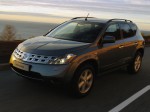
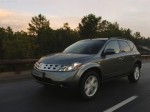
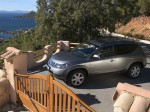
Nissan Murano (2005)
Nissan Murano / Gallery / Nissan Murano (2005)

|

|

|
|
|
|
See also:
Larger children
Children who are too large for child restraints
should be seated and restrained by the seat
belts which are provided. The seat belt may not
fit properly if the child is less than 4 ft 9 in (142. ...
Precautions on cruise control
- If the cruise control system malfunctions, it
will cancel automatically. The SET indicator
on the vehicle information display will then
blink to warn the driver.
- If the engine coolant tempe ...
Tire dressings
NISSAN does not recommend the use of tire
dressings. Tire manufacturers apply a coating to
the tires to help reduce discoloration of the rubber.
If a tire dressing is applied to the tires, it may ...