
Map lights (if so equipped)
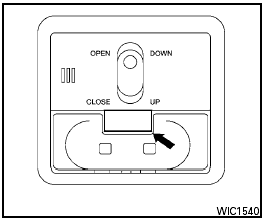
Map lights (if so equipped)
To turn the map lights on, press the button. To turn them off, press the button again.

Do not use for extended periods of time with the engine stopped. This could result in a discharged battery.
See also:
Push starting
Do not attempt to start the engine by pushing.
Continuously Variable Transmission
(CVT) models cannot be push-started
or tow-started. Attempting to do so may
cause transmission damage. ...
Most common factors contributing to vehicle
corrosion
● The accumulation of moisture-retaining dirt
and debris in body panel sections, cavities,
and other areas.
● Damage to paint and other protective coatings
caused by gravel and stone c ...
Cup holders
Front
Adjust the cup holder size by turning the adjustment
knob and sliding the cup holder divider to
the desired position.
● Avoid abrupt starting and braking when
the cup holder ...