
Locking doors
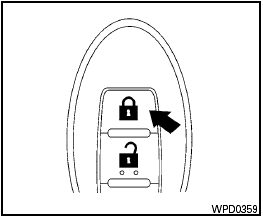
Locking doors
1. Place the ignition switch in the LOCK position.
2. Close all doors.
3. Press the  button on the
Intelligent
Key.
button on the
Intelligent
Key.
4. The hazard warning lights flash twice and the horn beeps once.
5. All doors will be locked.

After locking the doors using the Intelligent Key, be sure that the doors have been securely locked by operating the door handles.
See also:
Checking engine oil level
MR20DE
QR25DE
1. Park the vehicle on a level surface and apply
the parking brake.
2. Start the engine and let it idle until it reaches
operating temperature.
3. Turn off the engine. Wait m ...
Instrument panel
Instrument panel
1. Side ventilator
2. Headlight, fog light (if so equipped) and turn signal
switch
3. Steering-wheel-mounted controls (left side)
— Audio control
— Bluetooth® Hands- ...
Changing a flat tire
If you have a flat tire, follow the instructions
below. ...