
Steering wheel switch for audio control (if so equipped)
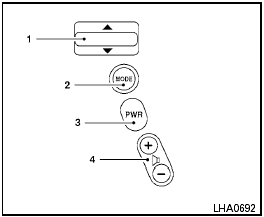
Type A
1. Tuning switch
2. MODE select switch
3. POWER on/off switch
4. Volume control switch
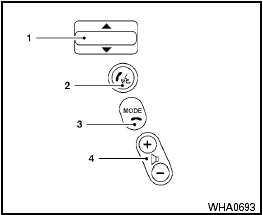
Type B
1. Tuning switch
2. Phone operation switch
3. POWER on and MODE select switch
4. Volume control switch
The audio system can be operated using the controls on the steering wheel.
See also:
Parking/parking on hills.
WARNING
● Do not stop or park the vehicle over
flammable materials such as dry grass,
waste paper or rags. They may ignite
and cause a fire.
● Safe parking procedures require that
...
Programming HomeLink® for Canadian customers
Prior to 1992, D.O.C. regulations required
hand-held transmitters to stop transmitting after
2 seconds. To program your hand-held transmitter
to HomeLink®, continue to push and hold
the HomeL ...
Checking bulbs
With all doors closed, apply the parking brake
and place the ignition switch in the ON position
without starting the engine. The following lights
will come on:
If equipped, the following li ...