
Vehicle Dynamic Control (VDC) OFF switch
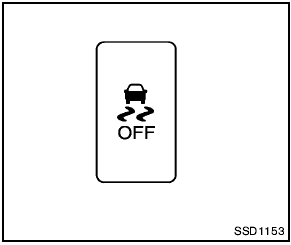
Vehicle Dynamic Control (VDC) OFF switch
The vehicle should be driven with the Vehicle Dynamic Control (VDC) system on for most driving conditions.
If the vehicle is stuck in mud or snow, the VDC system reduces the engine output to reduce wheel spin. The engine speed will be reduced even if the accelerator is depressed to the floor.
If maximum engine power is needed to free a stuck vehicle, turn the VDC system off.
To turn off the VDC system, push the VDC OFF
switch. The  indicator will illuminate.
Push the VDC OFF switch again or restart the engine to turn on the system. (See “Vehicle Dynamic Control (VDC) system” in the “5.
Starting and driving” section.)
See also:
Affordable Features
The 2.0 SL is already one of the better-equipped trims in the Sentra lineup,
and our test car had some premium options, like leather upholstery and a
navigation system. These features are relative ...
Seats
● Do not ride in a moving vehicle when
the seatback is reclined. This can be
dangerous. The shoulder belt will not
be against your body. In an accident,
you could be thrown into it a ...
USB interface (models without Navigation System) (if so equipped)
Connecting a device to the USB input
jack
The USB input jack is located in the center console.
Open the protective cover 1 on the USB
jack, then insert the USB device into the jack 2 .
When a ...