
Vehicle information display
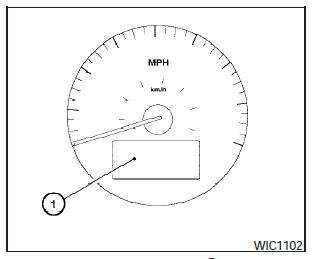
The vehicle information display
The vehicle information display (1) is located on the bottom of the speedometer. It displays such items as:
- cruise control system information.
- Intelligent Key operation information.
- some indicators and warnings.
- other information.
For details about the Intelligent Key, see NISSAN Intelligent Key in the Pre-driving checks and adjustments section.
See also:
Inside the vehicle
The maintenance items listed here should be
checked on a regular basis, such as when performing
periodic maintenance, cleaning the vehicle,
etc.
Additional information on the following
items ...
Cooling or heating (AUTO)
This mode may be normally used all year round as
the system automatically works to keep a constant
temperature. Air flow distribution and fan
speed are also controlled automatically.
1. Press the ...
Call volume
Adjusting the incoming or outgoing call volume
may improve clarity if reception between callers is
unclear.
● Incoming call—adjusting this setting allows
you to hear a difference in volu ...